
Most casual gamers spend the first ten minutes of a session lost in a menu instead of actually playing. If you've ever opened a gaming site, stared at a wall of thumbnails, and clicked away in frustration, you already know the problem. Learning to navigate online gaming platforms easily is less about technical skill and more about knowing where to look and what to ignore. This guide covers the exact tools, habits, and decision shortcuts that turn a confusing lobby into a fast, enjoyable experience every time you log in.
Table of Contents
- Key Takeaways
- How to navigate online gaming platform easily
- Using search and filters to find games fast
- The 30-second method for picking the right game
- Troubleshooting common navigation problems
- My honest take on what actually trips casual gamers up
- Why Luckyluxe makes navigation feel effortless
- FAQ
Key Takeaways
| Point | Details |
|---|---|
| Understand the lobby layout | Centralized lobbies act as a single decision surface; knowing their structure cuts hesitation immediately. |
| Use search and filters together | Combining autocomplete with active filters finds the right game in seconds, not minutes. |
| Apply the 30-second method | Decide your mood, time, and style before you browse to avoid backtracking and decision fatigue. |
| Save your preferences | Profile settings and saved filters let you skip the setup every session and get to playing faster. |
| Secure your account | Enabling two-factor authentication prevents interruptions that pull you out of your gaming session. |
How to navigate online gaming platform easily
The term "platform navigation" in the gaming world refers to the user experience design that helps players move from logging in to actually playing a game with as little friction as possible. Good navigation design is not just a nice feature. According to research on centralized lobby design, platforms that fail to give users a clear next step see higher drop-off rates because confusion kills momentum faster than a slow internet connection.
Most platforms share a predictable structure once you know what to look for. Here is what you will find on nearly every user-friendly gaming platform:
- Main lobby or home screen: The central hub where featured games, promotions, and categories are displayed at a glance.
- Search bar: Usually placed at the top of the page, letting you type a game name or theme directly.
- Category tabs or filters: Labels like "Slots," "Arcade," "Fishing," or "New" that sort the catalog without requiring you to scroll endlessly.
- Profile or account icon: Typically in the top right corner, giving you access to settings, history, and personal preferences.
- Cashier or deposit button: Often highlighted in a contrasting color so you can fund your account without hunting through menus.
The key insight here is that clear content hierarchy reduces the number of clicks between you and your game. Platforms that bury these elements behind multiple layers of menus are working against you. Once you recognize this structure, you can spot a well-designed platform in about thirty seconds.
Using search and filters to find games fast
This is where most casual gamers leave time on the table. The search bar is not just for when you already know the game title. Modern platforms use autocomplete, which means the system starts suggesting results the moment you type the first two or three letters. Autocomplete with visible filters creates a practical workflow where you narrow options in real time without ever hitting a dead end.
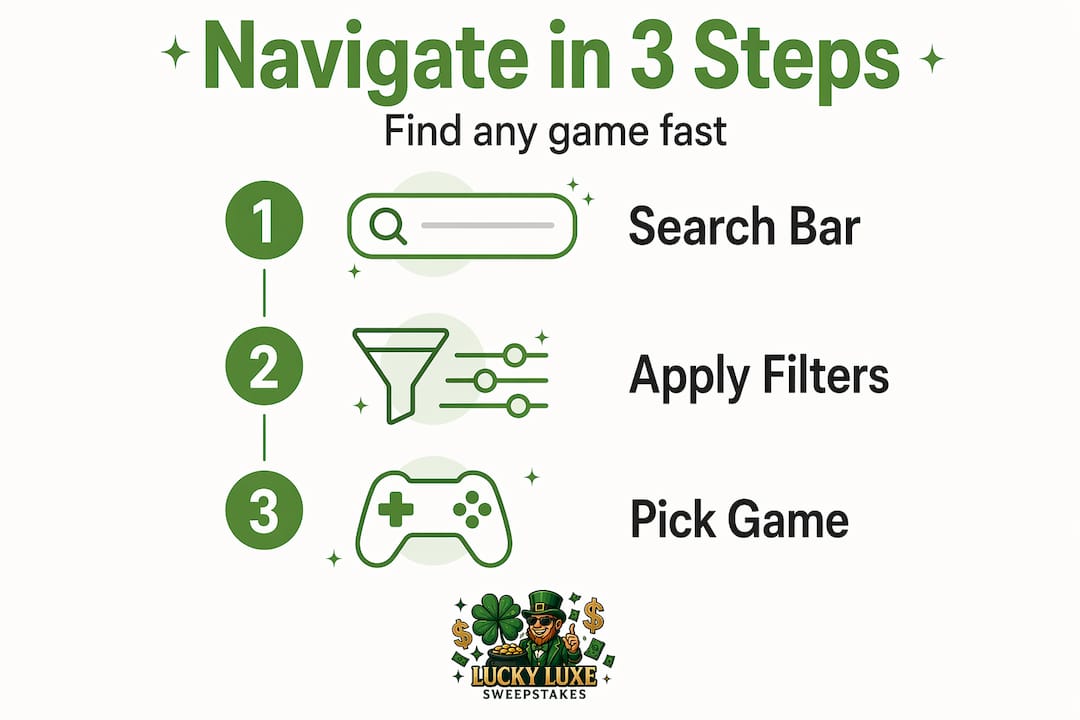
The filter system is equally powerful, but only when you use it correctly. Here is the mistake most people make: they apply every available filter at once and end up with zero results or a list so short it feels pointless. Research on catalog filter design shows that limiting your active filters to one intent, one recency indicator, and no more than three meaningful attributes keeps the experience manageable and actually surfaces better results.
Pro Tip: On mobile, tap the filter icon once to open the panel, make your selections, then tap "Apply" rather than tapping each filter separately. This prevents the page from reloading multiple times and keeps your session smooth.
For easy online gaming navigation on smaller screens, look for filters that update results without a full page reload. Filters that reset on every tap are a design flaw, not a feature. If a platform's filters behave that way, use the search bar instead and rely on category tabs to do the heavy lifting.
A few habits that make search and filter use faster:
- Type the game theme rather than a specific title if you are in the mood for something new. Typing "fishing" or "treasure" pulls up a themed cluster of games you might not have found otherwise.
- Use the "Hot" or "Popular" tag as a soft filter when you have no preference. It reflects what other players are actually enjoying right now.
- Clear all filters before starting a new search. Leftover filters from a previous session are one of the most common reasons results look wrong.
The 30-second method for picking the right game
Decision fatigue is real, and it hits hardest when you are staring at a catalog of hundreds of games with no clear starting point. The 30-second selection method is a simple framework that casual gamers use to match a game to their current mood, available time, and preferred style before they even open the catalog. It works because you define your constraints first and browse second, which eliminates most of the back-and-forth.
Here is how to apply it:
- Check your mood. Do you want something relaxing and low-stakes, or are you in the mood for something fast and exciting? This single question cuts the catalog roughly in half before you touch a filter.
- Estimate your available time. If you have fifteen minutes, a quick arcade game fits better than a multi-round slot session. Time awareness prevents the frustration of starting something you cannot finish.
- Decide on your commitment level. Some games require reading rules or understanding bonus mechanics. Others are instant. If you want to play immediately without a learning curve, look for games labeled "Easy" or filter by game type.
- Check ratings and labels. Most platforms display a star rating or a "Top Rated" badge. These are faster than reading descriptions and give you a reliable shortcut when you are undecided between two options.
Pro Tip: Write your three criteria on a sticky note next to your screen for the first few sessions. Mood, time, and style. Once the habit forms, you will do it automatically and your average time from login to playing drops to under a minute.
The criteria you define before browsing also protect you from the "one more scroll" trap, where you keep looking for something better and never actually start. Picking a game that is 80% right and starting is always better than searching for the perfect one and running out of time.
Troubleshooting common navigation problems

Even on a well-designed platform, you will occasionally hit a confusing moment. Knowing how to recover quickly keeps your session on track instead of turning a minor hiccup into a reason to quit.
The most common issue is getting lost after clicking through multiple menus. The fix is simple: look for a persistent home button or a logo in the top left corner. On almost every platform, clicking the logo returns you to the main lobby. If the platform uses breadcrumb navigation (a small trail of links showing where you are), follow it backward rather than using the browser's back button, which can sometimes log you out of a session.
"The first few minutes on a multi-game platform determine whether a player stays or leaves. Removing guesswork with effective search and clear menus is not optional. It is the difference between a player who returns and one who does not." — Beyond Game Count
Account settings are another underused tool for smoother navigation. Saving your preferred game categories, language settings, and display preferences means the platform loads closer to your ideal state each time you return. Platforms that offer a personalized lobby, where your recently played games and favorites appear at the top, cut your average time to first click significantly.
Security settings also belong in this conversation. Strong passwords and two-factor authentication prevent account lockouts that interrupt sessions at the worst possible moments. Enable 2FA once during setup and you will rarely think about it again. Avoid clicking links in unsolicited emails claiming to be from the platform. Phishing attempts often mimic legitimate gaming sites closely enough to fool a quick glance.
Here is a quick checklist for maintaining a smooth experience:
- Save your login credentials in a trusted password manager, not in the browser, to avoid autofill failures.
- Bookmark the direct URL of the platform rather than searching for it each time. Search results can surface fake look-alike sites.
- Check the platform's support page if a game fails to load. Most issues are browser-related and fixed by clearing the cache or switching to a different browser.
- Instant-play browser platforms that require no downloads remove an entire layer of potential technical problems before you even start.
My honest take on what actually trips casual gamers up
I've spent a lot of time watching how casual players interact with gaming platforms, and the pattern I see most often is not what you would expect. It is not the complexity of the games themselves. It is the gap between what the platform offers and what the player thinks they need to do to access it.
Most people assume that a bigger game catalog means a better platform. In my experience, the opposite is often true. A platform with 500 games and a clear lobby beats one with 2,000 games and a confusing layout every single time. Lobby design that raises engagement matters far more than sheer volume, and players who feel oriented in the first thirty seconds are the ones who stay.
The other thing I have learned is that players abandon platforms not because of one big problem, but because of three or four small frictions stacked on top of each other. A filter that resets unexpectedly. A deposit button that is hard to find. A lobby that shows the same featured games every visit. Each one is minor. Together, they create a feeling that the platform is not built for you.
My advice: before committing to any platform, spend two minutes just clicking around without depositing anything. Can you find the search bar immediately? Do the filters work without page reloads? Is your account easy to access? If those three things check out, the platform has done its job. Everything else is secondary.
— Skyline
Why Luckyluxe makes navigation feel effortless
If you have been putting these tips into practice and want a platform where they actually work, Luckyluxe is worth your time.
Luckyluxe is built around the kind of user-friendly interface this entire guide describes. The lobby puts slots, fishing, and arcade games in clearly labeled categories, so you spend zero time hunting. The search bar and filters respond in real time, your profile and deposit access are always one tap away, and the hot game highlights update regularly so you always have a fresh starting point. Luckyluxe also features a referral program and dedicated support, so if you ever hit a snag, help is right there. For casual gamers who want to play more and search less, it is the right place to start.
FAQ
What makes a gaming platform easy to navigate?
A user-friendly gaming platform uses a centralized lobby, a responsive search bar, and clearly labeled category filters so players can find a game in under a minute. Shallow menu depth and a visible account access button are the two most reliable signs of good navigation design.
How do I find games faster on a gaming site?
Use the search bar with autocomplete and apply no more than three filters at once to avoid decision fatigue. Deciding your mood and available time before you browse, as the 30-second method recommends, cuts browsing time significantly.
Why do my filters sometimes show no results?
Stacked filters that are too specific, or leftover filters from a previous search, are the most common cause. Clear all active filters and start fresh with one or two broad selections to reset the results correctly.
How do I keep my gaming account secure without interrupting my session?
Enable two-factor authentication during your initial account setup and store your login in a password manager. Two-factor authentication and strong passwords prevent the account lockouts that pull you out of a session unexpectedly.
Is it better to play on a browser or download a gaming app?
Browser-first platforms that offer instant play without downloads remove extra installation steps and reduce technical friction, making them a faster choice for casual sessions. Apps can offer personalized lobbies and smoother performance on mobile, so the best option depends on your device and how often you play.