
Yes, Sweeps Coins commonly expire, and the timeline is set by whichever operator you play on, not by federal law. Most platforms use inactivity windows of 60 or 90 days, though the broader range across the industry runs from 30 to 180 days. Some operators claim they never expire coins. The only way to know for certain is to check your platform's own Sweepstakes Rules.
TL;DR:
- Sweeps Coins typically expire within 60 to 90 days of inactivity, with some operators claiming never to expire their balances.
- Expiration is usually triggered by the last login date or recent gameplay activity, depending on the platform’s rules.
- Checking your platform’s specific Sweepstakes Rules and tracking your login date and balance can prevent unintentional forfeiture.
- Redeeming or withdrawing your balance before account closure and playing at least once per month helps maintain your Sweeps Coins.
- Supporting documentation and support inquiries often have limited success in restoring expired balances, making proactive routine checks essential.
Table of Contents
- Typical Sweeps Coin Expiration Windows Across Operators
- How Does Sweeps Coin Expiration Actually Get Triggered?
- Where to Find Your Platform's Exact Expiration Rules
- Simple Habits That Keep Your Sweeps Coins From Expiring
- What To Do If Your Sweeps Coins Already Expired
- How Luckyluxe Supports Players Through Clear Terms
- A Monthly Routine That Keeps Your Balance Safe
- Check Your Sweeps Coins Balance on Luckyluxe
- Sources
Typical Sweeps Coin Expiration Windows Across Operators
Sweeps coin expiration policies fall into a fairly predictable pattern once you look at enough help-center pages. The most common windows cluster around two numbers: 60 days and 90 days of inactivity.
Global Poker's help center states that "Sweeps Coins are only valid for about ninety days from the date an Eligible Participant last logged on to their Customer Account and will then automatically expire." That's a 90-day clock, and it starts ticking the moment you stop logging in, not the moment you receive the coins.
SpinPals uses a tighter window. Its terms say Sweeps Coins are "valid for about sixty days from the date you last logged into your account," with automatic expiration once that inactivity period passes.
The range gets wider once you factor in promotional drops versus standing balances. Some operators set expiration windows as short as about one to two weeks for a specific bonus claim, while the general account balance follows a separate, longer clock.
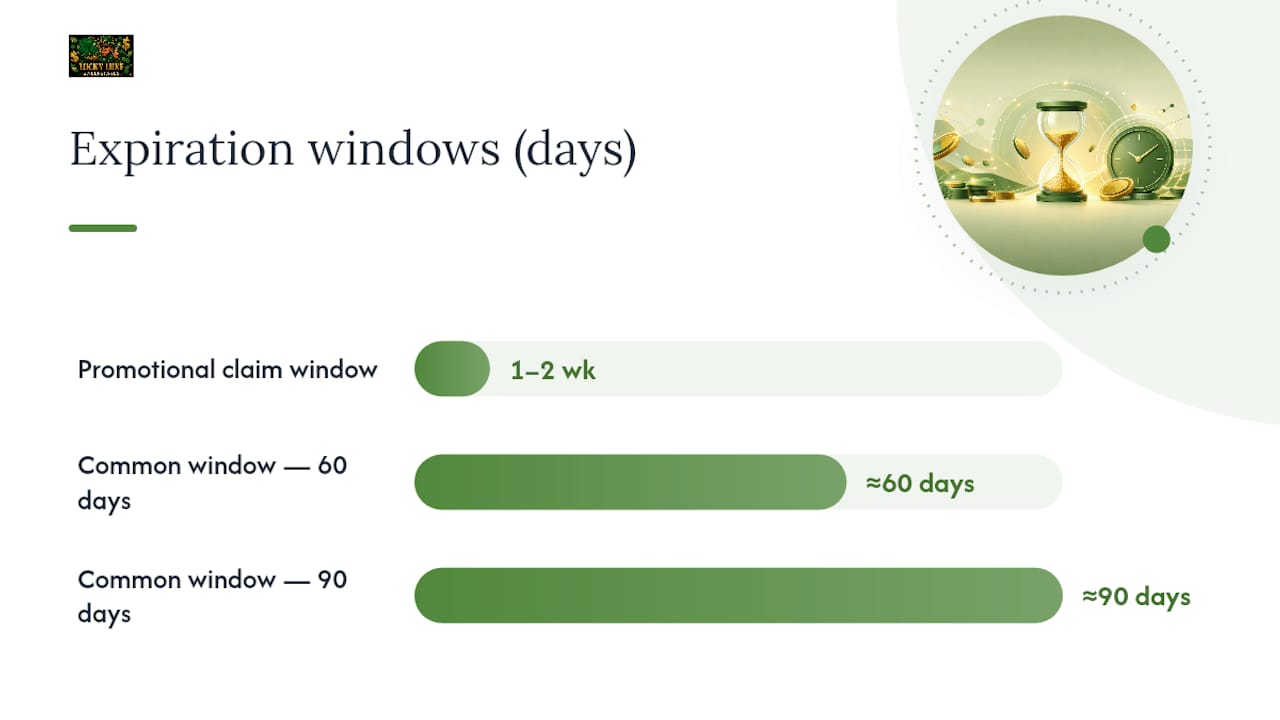
60 and 90 days are the two most-cited windows across sweepstakes casino help centers.
A few points worth keeping straight:
- Some platforms genuinely state they never expire Sweeps Coins, but that's the exception, not the rule.
- A short claim window for a promo drop is different from the standing balance expiry that governs coins already in your account.
- Every operator writes its own version of this clause, so the number that applies to you lives in your platform's own rules page, not in any general guide.
How Does Sweeps Coin Expiration Actually Get Triggered?
Expiration almost always hinges on one of two things: your last login or your last piece of qualifying gameplay. The distinction matters more than most players realize.
A last-login trigger means the clock resets every time you sign into your account, whether or not you spin a single reel. SpinPals and Global Poker both use this model, tying expiry to the last login date rather than actual play. A gameplay-required trigger is stricter. It counts activity only when you use Sweeps Coins in a game, so logging in alone won't stop the countdown.
Account closure adds another wrinkle. Operators commonly forfeit unredeemed balances once an account closes, so redeeming or withdrawing before you close anything is non-negotiable.
Quick comparison of what typically resets the clock:
- Logging into your account (works for last-login models)
- Playing a game that uses Sweeps Coins (works for both models)
- Redeeming or requesting a withdrawal (removes coins from the expiring balance entirely)
Pro Tip: If you're not sure whether your platform uses a last-login or gameplay trigger, play one small Sweeps Coins round after logging in. It satisfies both models and costs you nothing but a few minutes.
Where to Find Your Platform's Exact Expiration Rules
You don't have to guess. Every legitimate sweepstakes casino publishes the exact clause somewhere, and it's faster to find than most players expect.
- Start with the Sweepstakes Rules page, usually linked in the site footer, since this is where the legal expiration language lives.
- Check the Terms & Conditions for a section on "virtual currency," "Sweeps Coins," or "expiration."
- Search the Help Center for phrases like "expire," "inactivity," or "last logged in," which is how most operators title these articles.
- Look at your account or balance page for a countdown or expiration date next to your Sweeps Coins total.
- Note the specific fields that matter most: issuance date, last-login language, minimum redemption threshold, and what happens to your balance if you close your account.
Comparing Gold Coins against Sweeps Coins side by side makes it clear why this search is worth the five minutes. Gold Coins are play-only, while Sweeps Coins carry real prize value, which is exactly why VegasInsider recommends tracking them separately.
Simple Habits That Keep Your Sweeps Coins From Expiring
Protecting your balance doesn't take much. It takes consistency.
- Set a recurring calendar reminder, monthly is a safe default, to log into every platform where you hold a Sweeps Coins balance.
- Play at least one Sweeps Coins round if your operator requires gameplay rather than just a login to reset the clock.
- Redeem as soon as you hit the minimum redemption threshold instead of letting coins sit and accumulate risk.
- Withdraw or redeem your full balance before you ever close an account.
- Screenshot your balance and the date whenever you check in, in case you need proof later.
A monthly check is the sweet spot for most players. It's frequent enough to beat a 60-day window with room to spare, and it's light enough that it won't feel like a chore.
Pro Tip: Keep a simple note on your phone with the login date and balance for each platform you play on. If a dispute ever comes up, that timestamp is worth more than your memory.
What To Do If Your Sweeps Coins Already Expired
Losing a balance is frustrating, but there's a right way to push back, even if the odds of full restoration aren't great.
- Find the exact expiration clause on your operator's Sweepstakes Rules or Help Center page and note the wording.
- Gather your evidence: login timestamps, balance screenshots, and any confirmation emails tied to your account activity.
- Open a support ticket and describe what happened in plain terms.
- Quote the clause directly. Referencing the operator's own phrase, such as language about coins being "valid for ninety (90) days from the date an Eligible Participant last logged on", shows you've done your homework.
- Ask specifically for a balance review or restoration, and stay polite even if the first answer is no.
Restoration is uncommon because the clause is contractual, and operators generally aren't obligated to make exceptions. If you're dealing with a pattern of stress around play rather than a one-off balance issue, GambleAware offers resources on safer play, though it can't reverse a forfeiture either. Escalation beyond the operator rarely helps with a straightforward expiration dispute, since this is a terms-of-service matter, not a consumer-protection violation.
How Luckyluxe Supports Players Through Clear Terms
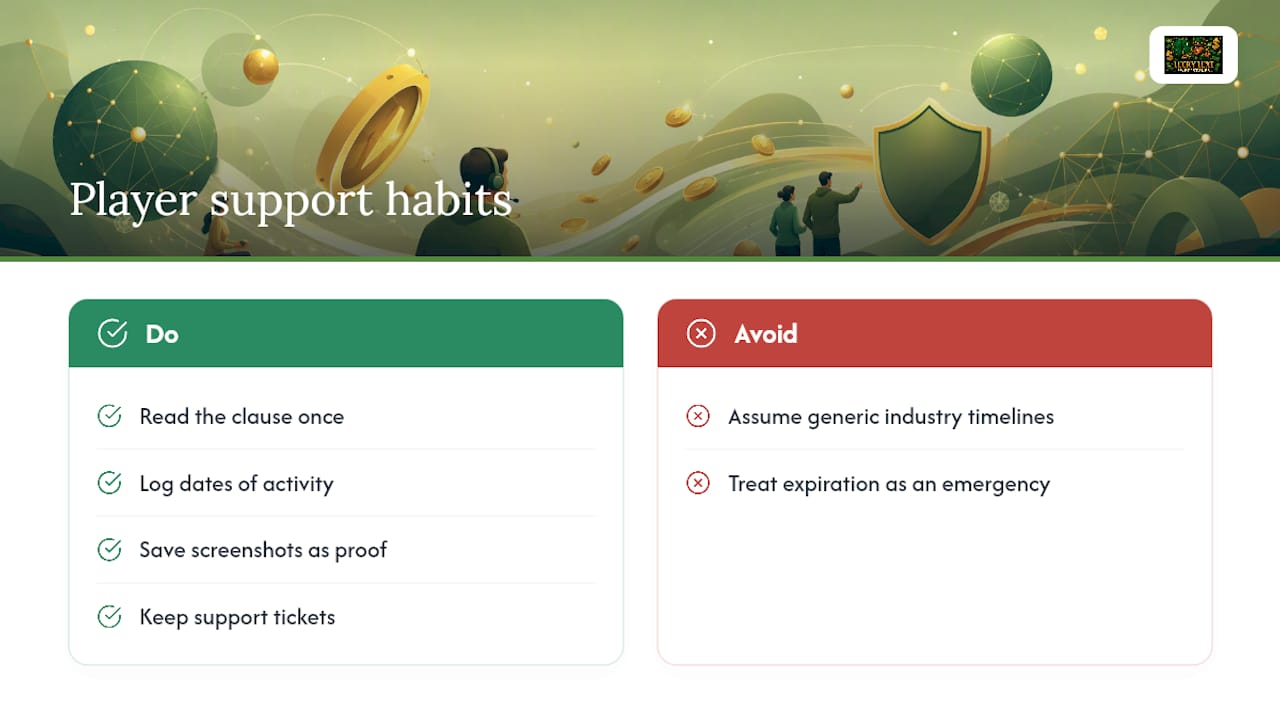
Understanding sweep coin rules shouldn't require a law degree. Luckyluxe publishes its Sweepstakes Rules and account terms in plain language, and the same documentation habits covered above, logging dates, saving screenshots, keeping support tickets, work the same way whether you play on Luckyluxe or anywhere else.
[BRAND_SIGNAL_PLACEHOLDER]
If you're managing a Sweeps Coins balance on Luckyluxe, your account page shows your current balance and activity history, and the support team can answer specific questions about your own timeline rather than a generic industry average.
[AUTHOR_BIO_PLACEHOLDER]
The same principle applies everywhere: read the clause once, then build a small habit around it, and you never have to think about it as an emergency again.
A Monthly Routine That Keeps Your Balance Safe
Here's the routine: first of the month, calendar reminder fires, you log in, play one Sweeps Coins round if your platform requires it, and snap a screenshot of your balance. That's it. Four steps, maybe three minutes total.
One player who followed this pattern for a busy season only touched her account twice, both times triggered by the reminder, and both times reset a 60-day clock that would have wiped a balance she'd forgotten about. If you ever fall behind on the routine and worry your coins expired, contacting support with your documentation in hand is always the right next move.
— Skyline
Check Your Sweeps Coins Balance on Luckyluxe
Luckyluxe gives you a faster path to clarity than digging through fine print on your own. Your account dashboard shows your current Sweeps Coins balance and activity in one place, so you're not stuck estimating whether a login six weeks ago was enough to reset anything.
Beyond expiration tracking, the platform runs a wide lineup of slots, fishing, and arcade games, along with a referral program that adds more ways to build your Sweeps Coins balance without extra purchases. If you already play on Luckyluxe, log into your account now and check your balance and activity date. If you're new, visit the Luckyluxe homepage to see the current game lineup and read the Sweepstakes Rules before you start, and reach out to support directly if anything about your balance looks off.
Sources
- When do free Sweeps Coins expire? — Global Poker help
- When will my free Sweeps Coins expire? | SpinPals help
- How Do Sweeps Coins Work? Complete Guide 2026 — SweepRadar
- Gold Coins (GC) vs. Sweeps Coins (SC) at sweepstakes casinos: Do you know the difference? — VegasInsider