

In-game help support is defined as any assistance system embedded directly inside a game's interface, letting you resolve issues without quitting your session. Platforms like Helpshift power this technology for major studios, while games like EVE Online have built their own AI tools, such as Aura Guidance, to guide players in real time. The difference between getting help inside a game versus hunting through a website or waiting on an email is enormous. This guide breaks down how these systems work, what makes them effective, and how you can use them to your advantage.
What is in-game help support and how does it work?
In-game help support is a real-time assistance system embedded inside the game UI, giving you access to chat, AI bots, help articles, and live agents without ever leaving your session. The term the industry uses is "in-game support" or "player support," and it covers everything from a simple help button to a full AI-powered assistant that knows your account history.
The core architecture has two layers. The first is the front-end UI: a help button, chat window, or assistant panel visible during play. The second is a backend workflow that pulls your player context including game state, account data, and recent activity to give support agents or AI bots the information they need to solve your problem accurately. Without that backend connection, the front-end chat is just a generic ticket form.

Helpshift is the most widely recognized platform in this space. It offers studios a unified interface that combines a Help Center, conversational AI, and live agent routing inside the game itself. That means you can search a knowledge base, chat with a bot, or escalate to a human agent, all from one panel without touching a browser.
What features make in-game assistance effective?
The best in-game assistance features share four qualities: real-time communication, contextual data access, AI automation, and clean escalation paths.
Real-time communication means the support channel is live during your session. Helpshift describes this as text, voice, or video chat embedded directly in the game, used for player-to-studio communication. You do not need to pause, alt-tab, or open a separate app.
Contextual data access is what separates in-game support from a generic contact form. When you open a help ticket inside a game, the system already knows your character level, recent purchases, last login, and any error logs from your session. That context lets agents skip the "can you describe your issue" back-and-forth and get straight to a fix.
AI automation handles the volume. AI-powered support agents can resolve over 70% of routine player issues without a human agent. That means faster answers for you and fewer wait times during peak hours.
Escalation paths matter when AI hits its limits. A well-designed system routes unresolved issues to a human agent with a full summary of the conversation and your account context already attached. You never have to repeat yourself.
Here is what a strong in-game support system typically includes:
- A help button accessible from the pause menu or HUD
- Searchable help articles and FAQs inside the game UI
- A conversational AI bot for common questions
- Live chat with a human agent for complex issues
- Bug reporting tools that capture screenshots, video clips, and technical logs
- Ticket tracking so you can check the status of open issues
Pro Tip: If you open a support chat while actively experiencing a bug, do not close the game first. Your live session data, including error logs and game state, is what gives the support system the context it needs to diagnose the problem accurately.
In-game support vs. traditional support: which wins?
Traditional external support methods include email tickets, web-based help portals, community forums, and social media. Each has a place, but none of them match in-game support for speed and accuracy when you are mid-session with a problem.
The core difference is friction. Email support requires you to exit the game, write a description of your problem from memory, attach screenshots manually, and wait hours or days for a reply. In-game support captures your session data automatically and delivers a response in minutes. Reduced friction directly improves player retention, because players who have to leave a game to get help often do not come back.
| Support Method | Resolution Speed | Context Access | Player Friction | Best Use Case |
|---|---|---|---|---|
| In-game chat | Fast (minutes) | Full session data | Very low | Real-time bugs, account issues |
| Email support | Slow (hours to days) | Manual description only | High | Complex billing disputes |
| Web help portal | Medium | None | Medium | General how-to questions |
| Community forums | Variable | None | Medium | Tips, workarounds, builds |
| Social media | Variable | None | Low | Public complaints, announcements |
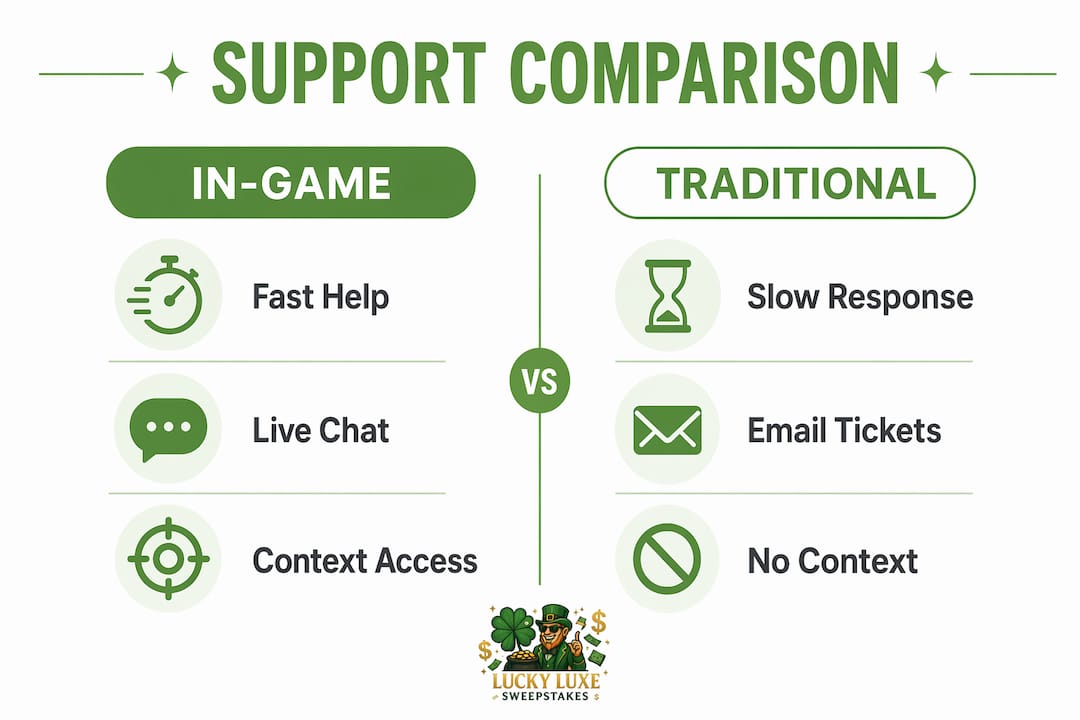
The table makes the trade-offs clear. In-game chat wins on speed and context. Email wins for documented disputes where you need a paper trail. Forums win for community knowledge that no support agent would have.
Pro Tip: Use community forums for gameplay strategy questions and in-game chat for account or technical issues. Mixing them up wastes time. A forum cannot fix a missing purchase, and a support agent is not your best source for raid build advice.
What ai-powered in-game help looks like in practice
EVE Online's Aura Guidance is the most documented example of AI-powered in-game help in production. The system was trained on over 5.8 million messages from EVE Online's Rookie Help channel, giving it a deep base of real player questions and answers. It enriches every response with the player's current context, so a new player asking about mining gets advice relevant to their ship and location, not a generic tutorial.
The design choice that makes Aura Guidance trustworthy is its fallback behavior. When the AI's confidence drops below a set threshold, it redirects to community sources rather than guessing. That prevents the misinformation problem that plagues AI tools built without safety guardrails.
Blizzard takes a different angle with World of Warcraft. The Single-Button Assistant and Assisted Highlight features focus on gameplay guidance rather than customer support. They highlight recommended abilities based on your current resources and situation, helping new or returning players learn rotations without reading a 3,000-word guide. This is in-game assistance in the coaching sense, not the troubleshooting sense, and it shows how broad the category has become.
Key patterns across these real-world implementations:
- AI trained on real player data outperforms generic chatbots because it understands game-specific language and common pain points
- Confidence thresholds and human fallbacks are non-negotiable for maintaining player trust
- Contextual data integration is what separates a useful AI assistant from a FAQ search box
- Gameplay assistance tools and customer support tools are converging inside the same in-game UI
How to access and use in-game help support effectively
Knowing that in-game support exists is one thing. Knowing how to use it well is another. Follow these steps to get the most out of any game's support system.
-
Find the help entry point. Most games place a help button in the pause menu, settings screen, or main HUD. Look for icons labeled "Support," "Help," or a question mark. If you cannot find it, check the game's official site for a direct link to the in-game support portal.
-
Stay in your session when possible. Your live game state is the most valuable data you can give a support agent or AI bot. Closing the game before opening a ticket removes that context and slows resolution.
-
Use the search function first. Most in-game help centers combine articles and live chat in one interface. Searching your issue keyword often surfaces an instant answer without waiting for an agent.
-
Attach media when reporting bugs. Structured bug reports that include screenshots, video clips, and technical logs produce higher quality reports than text descriptions alone. Use the in-game capture tool if available, or your platform's built-in screenshot function.
-
Escalate when the AI is not enough. If the bot gives you a generic answer that does not solve your problem, ask to speak with a human agent. Most platforms offer this option after one or two bot interactions. Do not loop through the same automated responses hoping for a different result.
-
Track your ticket. After submitting an issue, note your ticket number. In-game support platforms like Helpshift include ticket tracking inside the game UI so you can check status without opening a new conversation.
Pro Tip: When escalating to a human agent, briefly summarize what the AI already suggested and why it did not work. This saves the agent time and gets you to a real solution faster. Agents with a clear starting point resolve issues significantly faster than those starting from scratch.
You can also learn more about accessing support while gaming to get a broader picture of what resources are available across different platforms.
Key takeaways
In-game help support is most effective when it combines real-time contextual data, AI automation, and a clear path to human agents inside a single embedded interface.
| Point | Details |
|---|---|
| Core definition | In-game support is an embedded system that resolves issues without forcing you to leave your session. |
| AI resolves most issues | AI agents handle over 70% of routine tickets, reducing wait times significantly. |
| Context is the advantage | Access to live session data makes in-game support faster and more accurate than email or web portals. |
| Fallbacks protect trust | Well-designed AI tools like Aura Guidance redirect uncertain answers to human or community sources. |
| Bug reports need media | Screenshots and video captures produce far better developer responses than text descriptions alone. |
Why in-game support is the feature most gamers underestimate
I have watched the gaming support space evolve for years, and the pattern I keep seeing is the same. Players tolerate bad support until they quit a game entirely, and studios scramble to fix retention after the fact. The ones that get it right build support into the experience from day one.
What surprises most people is how much the quality of in-game support affects whether they stick with a game. It is not just about fixing bugs. It is about the signal a studio sends when it makes help accessible without friction. When you can report a problem in 30 seconds without leaving your session, you feel like the developer respects your time. That feeling compounds over months of play.
The AI integration trend is real and accelerating, but I think the studios that will win long-term are the ones that treat AI as a filter, not a replacement. EVE Online's approach with Aura Guidance gets this right. The AI handles volume, the confidence threshold prevents bad answers, and human agents handle the edge cases. That layered model is what builds lasting player trust in a way that pure automation never will.
My honest read on where this goes next: in-game support will start to feel less like a help desk and more like a knowledgeable teammate. Contextual AI that knows your playstyle, your history, and your current session will give advice that feels personal. The games that build that experience first will have a real retention advantage. The ones that still rely on email tickets will keep losing players to frustration.
— Skyline
Get more from your gaming experience with Luckyluxe
Understanding how in-game help support works is the first step toward a better gaming experience. Luckyluxe is built around that same idea: giving players the tools, resources, and support they need to enjoy every session without unnecessary friction.
At Luckyluxe, you will find a platform designed with player experience at the center. From slots and arcade games to fishing titles, every game comes with a user-friendly interface and clear access to support resources. Luckyluxe also features a referral program, regular promotional highlights, and a help system built to keep you playing, not waiting. If you want a gaming platform that takes player support seriously, Luckyluxe is worth your time.
FAQ
What is in-game help support?
In-game help support is an assistance system embedded inside a game's interface that lets players resolve issues, ask questions, or report bugs without leaving their session. Platforms like Helpshift power these systems for major studios worldwide.
How does in-game support differ from email support?
In-game support accesses your live session data automatically, enabling faster and more accurate resolutions than email, which relies on manual descriptions and has no access to your game state.
Can AI really solve my gaming issues without a human agent?
AI-powered agents resolve over 70% of routine player issues autonomously, according to Helpshift data. Complex or unusual cases are escalated to human agents with a full conversation summary already attached.
What should i include in an in-game bug report?
The most effective bug reports include screenshots, video captures, and technical log data. Structured reports with media produce significantly better developer responses than text-only descriptions.
Is in-game help support available in all games?
Not all games offer full in-game support. Many major titles use platforms like Helpshift to provide embedded chat and AI assistance, while smaller games may only offer a link to an external help portal from the pause menu.