

A cooling-off period is a short, voluntary pause on your gaming account, usually from a short day-long pause to a few weeks, that blocks deposits and wagers until it expires. Access typically comes back on its own, no extra steps needed. Use a cool-off when you want to catch your breath after a rough session; if breaks keep repeating or money problems are piling up, self-exclusion is the stronger tool, and platforms like Lucky Luxe build both options into account settings.
TL;DR:
- Cooling-off periods last from one day to several weeks and automatically reactivate without additional steps, unlike self-exclusion that requires a manual request.
- These short pauses block deposits, wagers, and marketing emails but do not prevent account creation or use of other platforms.
- Activating a cool-off is quick and simple, usually found under responsible gaming settings, and it takes effect immediately upon confirmation.
- To make a cooling-off effective, users should also set financial alerts, remove payment info, and engage in alternative activities to prevent impulsive reinitiation.
- Repeated short breaks or signs of compulsive behavior suggest the need for longer-term self-exclusion rather than repeated cool-offs.
Table of Contents
- Cooling-off gaming vs. self-exclusion: what's the real difference?
- How to activate a cooling-off period, step by step
- What cooling-off actually blocks, and where it falls short
- Making a cooling-off period actually stick
- When a short break isn't enough
- How Lucky Luxe builds cooling-off into everyday play
- Pause play in a few taps, right where you already are
- Sources
Cooling-off gaming vs. self-exclusion: what's the real difference?
A cooling-off period, sometimes called a timeout, is a short suspension you choose yourself. It runs anywhere from a single day to several weeks, and when the clock runs out, your account reactivates automatically with no forms or waiting periods, according to the Pennsylvania Gaming Control Board. Self-exclusion works differently. It's built for longer stretches, often several months to several years, and getting back in usually requires a manual request and a waiting period, sometimes even a cross-operator ban depending on the jurisdiction, per North Carolina's responsible gaming guidance.
Here's how the two stack up:
- Cool-off: Short duration, reversible, auto-expires, good for a quick reset after a bad night.
- Self-exclusion: Long duration, deliberately hard to undo, better suited when losses or habits have become a pattern.
- Overlap: Both typically block deposits and wagers while active.
Think of a cool-off as closing the laptop for the weekend. Self-exclusion is closer to canceling the account outright. Neither is better in an absolute sense. It depends on whether you're managing a bad week or a bad pattern.
How to activate a cooling-off period, step by step
Most platforms tuck this control in the same general spot. On Lucky Luxe, and on comparable operators, you'll find it under Account Settings, then a Responsible Gaming or Player Protection tab.
- Log into your account and open Account Settings.
- Find the Responsible Gaming (or Player Protection) section.
- Select "Cooling-off" or "Timeout" from the available options.
- Choose your duration, typically ranging from a one-day break to several weeks.
- Confirm your identity if the platform requests it.
- Review what happens next: deposits, wagers, and often marketing emails stop immediately.
Activation usually takes effect the moment you confirm it. There's no grace period where you can sneak in one more spin.
Pro Tip: Screenshot the confirmation screen before you close the app. It shows your exact start time and expiry date, which matters if you ever need to prove you were on a break or if support needs to look into your account.
If you want a broader look at how these controls sit alongside deposit limits and time limits, Lucky Luxe's guide on responsible gaming tools breaks down the full toolkit.
What cooling-off actually blocks, and where it falls short
A cool-off typically shuts down three things: new deposits, active wagers, and promotional marketing tied to your account. That's consistent across most regulated platforms, and it matches what the Pennsylvania Gaming Control Board documents for operator-level self-exclusion tools as well.
But the tool has real limits:
- It doesn't stop you from opening a brand-new account on the same platform unless identity verification catches the overlap.
- It has no reach over other gaming sites, so a cool-off on one platform means nothing on another.
- Device-based workarounds, like a different browser or a family member's login, can bypass it entirely.
Duration ranges vary by operator, but industry summaries consistently put cool-offs somewhere between a day and several weeks, with reactivation happening automatically once the window closes, according to GamblingZone's breakdown. That auto-reactivation is convenient, but it's also the tool's weak point: nothing forces you to reflect before jumping back in.
Making a cooling-off period actually stick
The account-level block only covers half the problem. The other half is everything outside the platform that still tempts you to circle back.
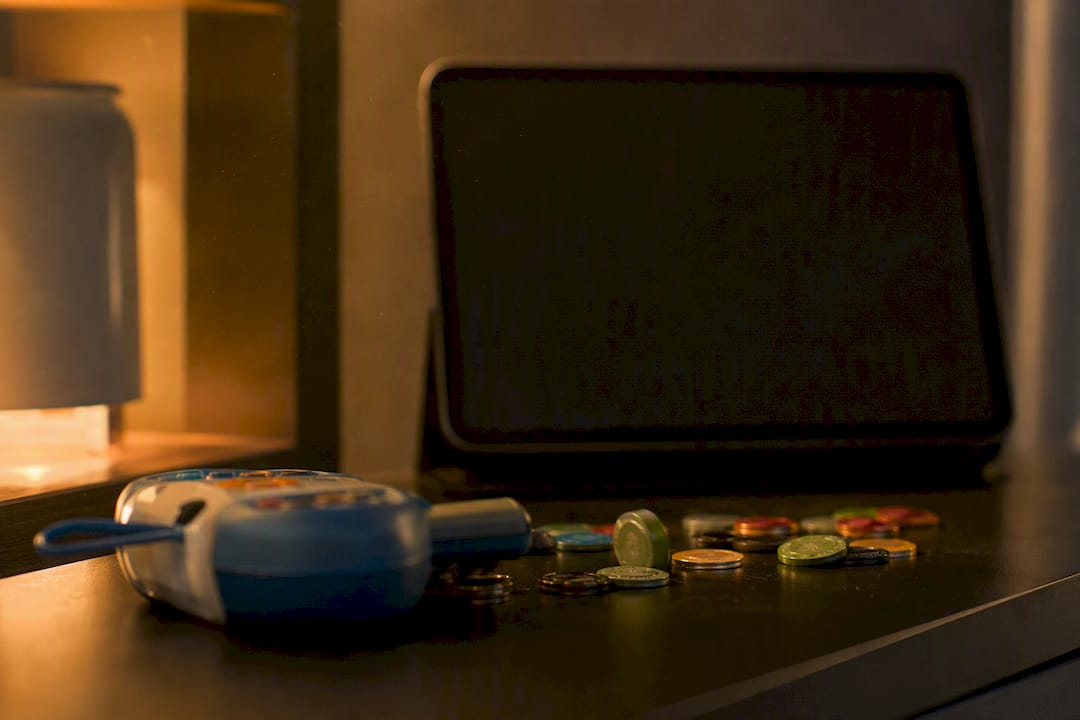
Start with money. Set up bank or card alerts for any gaming-related charge, and consider a temporary card block through your bank's app if your platform doesn't hold your payment method on file. Third-party spend-blocking apps add another layer if impulse control is the real issue.
Then clean up the digital clutter:
- Unsubscribe from marketing emails and push notifications tied to your account.
- Remove saved payment methods so a deposit takes more than one tap.
- Change your password to something you'd have to think about, and mute app notifications for the duration of your break.
- Delete or hide the app icon if visual cues are a trigger.
Pro Tip: Pick one specific replacement activity before your cool-off starts, not "I'll find something to do." A short walk, a call to a friend, or a different game entirely works better than an open-ended plan, because open-ended plans collapse the moment boredom hits.
Research into mandatory breaks and cooling-off interventions backs this combined approach: pauses reduce impulsive play most effectively when paired with outside supports, not used alone, per a research overview published on PMC. For more tactics on managing spend specifically, Lucky Luxe's bankroll management guide covers practical limits worth setting before you ever hit a cool-off.
When a short break isn't enough
Some signs mean it's time to stop reaching for the cool-off button and consider something more permanent. Watch for these patterns:
- You've used cooling-off more than a few times in a short stretch.
- You've borrowed money or dipped into funds meant for bills to keep playing.
- Gaming is cutting into sleep, work, or relationships.
- You feel relief when the account locks, followed by anxiety once it reopens.
If any of that sounds familiar, self-exclusion is the more serious tool, and it's built that way on purpose. Terms typically start at several months, and reactivation isn't automatic. It usually requires a manual request and a waiting period, which is intentional friction meant to protect you from a snap decision to undo it.
Independent support is available regardless of which platform you use: the National Council on Problem Gambling helpline (1-800-522-4700) and Gamblers Anonymous both offer confidential, no-cost support. Lucky Luxe's guide on accessing support resources walks through what to expect if you reach out.
How Lucky Luxe builds cooling-off into everyday play
Lucky Luxe puts its cooling-off and responsible-gaming controls in the same Account Settings area most players already check for balance and history, not buried three menus deep. That placement matters more than it sounds. Tools people can't find get ignored, and tools that take thirty seconds to activate actually get used.
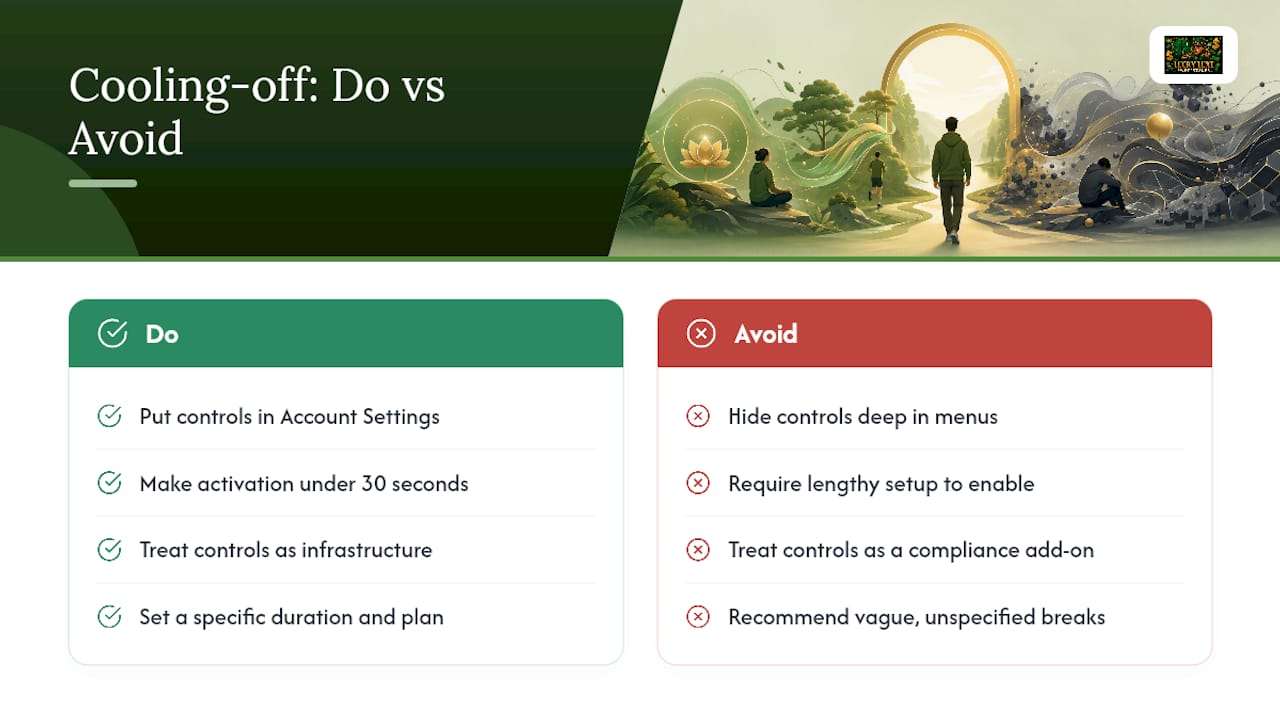
Our team treats this as infrastructure, not an afterthought bolted onto the platform to check a compliance box. The Responsible Online Gaming Best Practices guide and the Casual Gaming Session Planning Guide both grew out of the same question this article asks: what actually helps someone step back before a session goes sideways? A cool-off button is only useful if someone uses it before things get bad, not after.
Where conventional advice stops at "take a break," we'd argue the break only works if you've already decided what you're stepping away from and for how long. Vague breaks get abandoned. Specific ones, with a set duration and a plan for the hours you'd normally spend playing, tend to hold.
— Skyline
Pause play in a few taps, right where you already are
Lucky Luxe puts cooling-off controls inside the same Account Settings menu you use for everything else, so there's no separate app, no phone call, and no waiting on hold to hit pause. Compare that to platforms that bury responsible-gaming tools behind support tickets or make you email a compliance team just to slow down for a week.
If you want the full walkthrough before you commit, read the Responsible Online Gaming Best Practices guide first. Questions about your account can go straight to Lucky Luxe support through the app. And if a short break isn't cutting it anymore, remember that self-exclusion is the longer-term option, meant for a different problem than a rough week.
Ready to set your own limits? Head to Lucky Luxe and open Account Settings to activate a cooling-off period in under a minute.
Sources
- Ncgaming
- GamblingZone — Cool-off periods in online gambling
- PMC article on gambling interventions (research overview)