
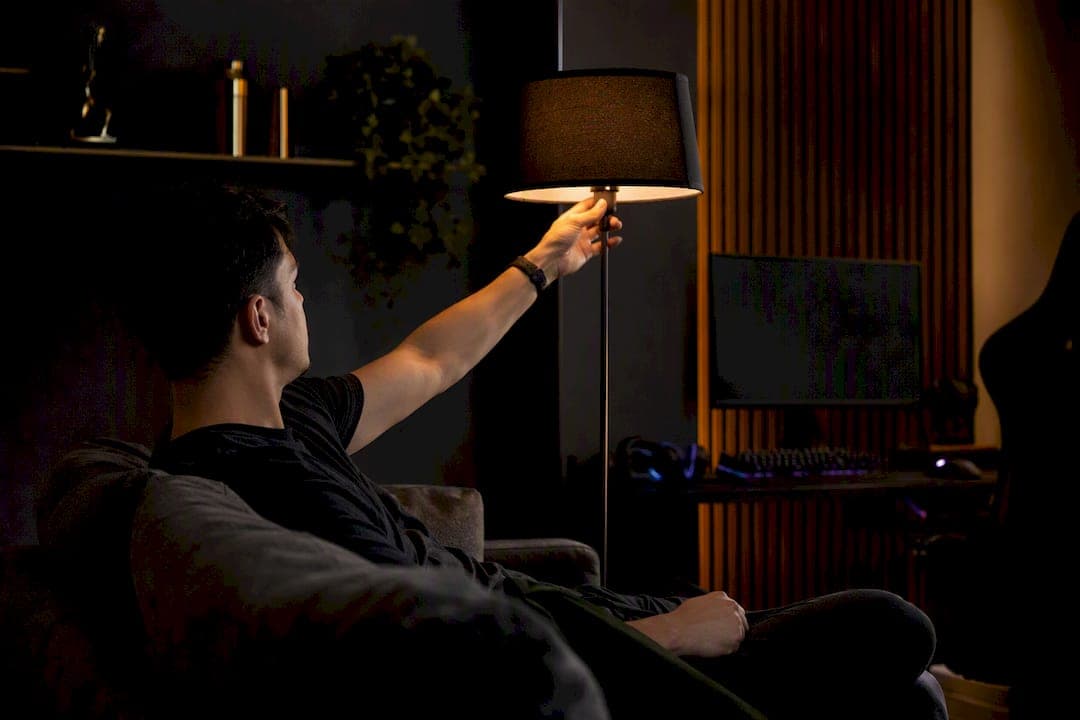
Dark mode helps most gamers most of the time. In dim rooms and late-night sessions, negative-contrast interfaces reduce glare, ease eye fatigue, and cut battery drain on OLED screens by 30 to 50 percent at typical brightness. A 2019 human-subject study on light-on-dark color schemes found improved visual acuity and lower fatigue in low-light conditions, though the effect depends heavily on ambient lighting. The catch: dark mode isn't universally better. Bright rooms, dense text, and certain vision conditions can flip the advantage, according to AllAboutVision's guidance on digital eye strain.
What the evidence actually shows:
- Reduces glare and screen luminance in dim or dark rooms
- Saves meaningful OLED battery life, though savings shrink at low brightness
- Can worsen readability for people with myopia, astigmatism, or light sensitivity
- Works best when paired with proper contrast ratios, not just an inverted color palette
Key Takeaways
Dark mode reduces glare and eye fatigue in dim rooms and often extends OLED battery life, but it requires good contrast design to actually work well.
| Point | Details |
|---|---|
| Best use case | Dark mode helps most in dim rooms and evening play, with preference jumping to 87.4 percent in low light. |
| Battery savings depend on screen | OLED and AMOLED screens can save 30 to 50 percent battery; LCD screens see little benefit. |
| Watch for halation | People with myopia or astigmatism may find white-on-black text bleeds; a mid-tone palette helps. |
| Design quality varies widely | Only 58 percent of apps tested were fully WCAG-compliant in interactive areas, so not every dark mode is built well. |
| Lucky Luxe's approach | Lucky Luxe uses a dark-first, layered interface with warm golden accents and adjustable accessibility settings. |
Table of Contents
- Why Dark Mode Gaming Interfaces Help Reduce Eye Strain
- When Dark Mode Backfires for Gamers
- Design Rules That Separate Good Dark Modes From Bad Ones
- How Your Screen and Device Change the Dark Mode Payoff
- Settings and Habits That Actually Reduce Eye Strain
- Where Lucky Luxe Puts These Principles Into Practice
- Dark Mode and Late-Night Play: The Sleep Connection
- How Dark Mode Affects Focus and Immersion
- Comparing Dark Mode Across Game Genres
- Hardware and Software Requirements for Dark Mode
- A Note From Skyline
- Try a Dark-First Gaming Experience on Lucky Luxe
- Frequently Asked Questions
- Sources
Why Dark Mode Gaming Interfaces Help Reduce Eye Strain
The mechanism is simpler than most players assume. A bright white or light-gray interface floods your retina with light, and in a dark room, that gap between screen brightness and ambient light forces your pupils to constantly readjust. Dark backgrounds shrink that gap. Less light output means less glare bouncing off a dark screen, and your eyes settle into a steadier state instead of fighting a mismatch between the glowing rectangle in front of you and the darkness around it.
Pupil dynamics matter here too. In low light, your pupils dilate to gather more light, which also increases certain optical aberrations, including chromatic and spherical distortion at the edges of your vision. A dark interface with light text keeps the overall light entering your eye lower, so the pupil doesn't have to overcompensate as aggressively during a three-hour raid or a late-night ranked grind.
This is also why dark UIs feel more immersive. Stripping away bright chrome, borders, and backgrounds pulls your attention toward what actually matters on screen: health bars, minimaps, kill feeds, loot drops. Dark interfaces reduce visual noise and let accent colors do more work. A red health warning or a gold loot glow reads louder against charcoal than it does against white, simply because there's less competing brightness around it.
Three things happen when a game switches to a well-built dark palette:
- Overall screen luminance drops, which reduces glare in dim rooms.
- Pupil dilation stabilizes instead of fluctuating with bright interface flashes.
- Accent colors and critical alerts gain contrast weight, making them easier to spot at a glance.
Statistic Callout: In evening and dim-light conditions, dark mode preference jumps to 87.4 percent, compared to 68.4 percent preference overall. That gap tells you the benefit is highly context-dependent. It's strongest exactly when most gamers are actually playing.
When Dark Mode Backfires for Gamers
Dark mode isn't a fix for everyone or every task. White text on a black background can bleed and blur at the edges, a visual effect called halation, and it hits people with myopia or astigmatism harder than most. If small quest text or inventory labels look like they're glowing or smearing, that's halation, not a bad monitor.
Dense reading tasks also tend to favor light backgrounds. Long patch notes, strategy guides, or spreadsheet-heavy trading interfaces in MMOs often read faster on light backgrounds, since black text on white or cream still has a slight edge for extended reading comprehension.
Situations where light mode (or a dimmed version of it) wins:
- Playing during the day in a bright room, where a dark UI actually forces your eyes to work harder against ambient light
- Reading dense in-game text, wikis, or crafting menus for long stretches
- Fine-detail HUD elements that need sharp edges, not soft glowing contrast
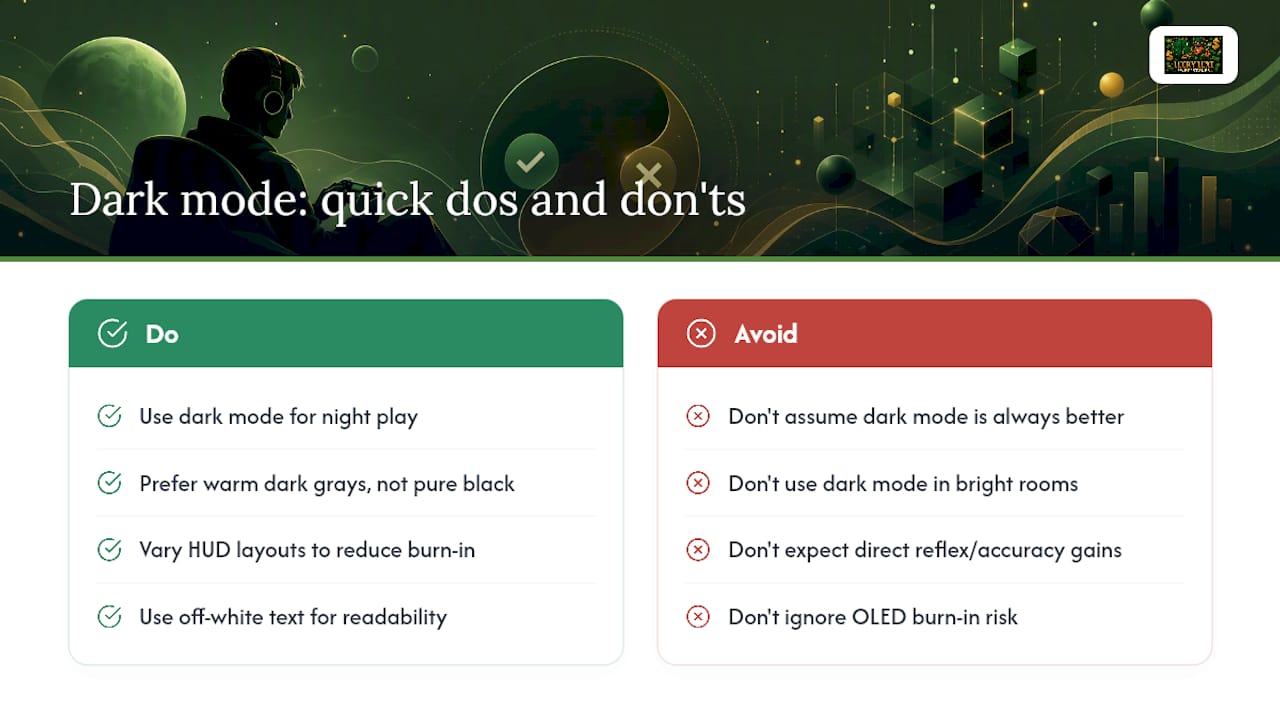
Pro Tip: If pure dark mode strains your eyes, look for a mid-tone dark palette (dark gray instead of true black) with slightly heavier text weight. It keeps most of the glare reduction without the halation problem.
Design Rules That Separate Good Dark Modes From Bad Ones
Not every "dark mode" toggle is built the same. The difference shows up fast during a three-hour session. The strongest game UIs use a layered surface system: a base background, a panel layer for menus, an info layer for stats, and an action layer for buttons and prompts, each with a slightly different tone so your eye can separate depth without relying on drop shadows or borders. This layered approach to game UI color is what makes a dark interface feel organized instead of flat.
Pure black backgrounds are actually a mistake. Warm-shifted dark neutrals (deep charcoal or graphite rather than #000000) paired with off-white text, rather than stark white, reduce the harsh contrast jump that causes fatigue over long sessions.
Contrast still has to hit a real standard. WCAG AA guidance calls for a minimum 4.5:1 contrast ratio for normal text, and game-critical information like health warnings or timers should exceed that. Color alone should never carry critical meaning either; a colorblind player needs a shape, icon, or outline backup for anything mission-critical.
| Design Element | What Good Looks Like |
|---|---|
| Background tone | Warm dark gray or charcoal, not pure black |
| Text color | Off-white, not stark white |
| Critical alerts | High contrast plus icon or shape redundancy |
| Toggle access | One tap or click, with per-app memory |
Quality control matters more than intent. One mixed-method study of mobile app dark modes found only a little over half of tested apps were fully WCAG-compliant in their interactive areas, meaning plenty of "dark mode" features ship without real accessibility testing behind them. A good implementation also gives you a fast toggle, remembers your preference per app, and ideally switches automatically based on ambient light or time of day, rather than forcing you to dig through settings every session. Consistent theming across a platform's launcher and companion apps is a smaller detail that still affects how coherent the whole experience feels.
How Your Screen and Device Change the Dark Mode Payoff
The battery math depends entirely on your screen technology. OLED and AMOLED panels light individual pixels, so a black pixel uses close to zero power. That's why dark mode can extend battery life by 30 to 50 percent at typical brightness on these screens. Drop your brightness down to around 30 percent, and the savings shrink to roughly 14 percent, since there's less overall light output to save in the first place.
LCD screens don't work this way. They use a constant backlight behind the whole panel, so a dark interface barely changes power draw, if at all. If you're gaming on an older LCD laptop or a non-OLED handheld, don't expect the same battery boost you'd get on a modern OLED phone or a Steam Deck OLED.
A few practical device notes:
- OLED/AMOLED phones and handhelds see the biggest real battery gains from dark mode
- LCD monitors and older laptop panels see little to no power benefit
- True black backgrounds on OLED can increase long-term burn-in risk with static UI elements; a warm dark gray reduces that risk while still saving power
- On mobile-friendly platforms, prioritize dark mode when battery life matters more than raw visual fidelity
Settings and Habits That Actually Reduce Eye Strain
Small adjustments compound over a long session. Here's what to actually do tonight:
- Turn on dark mode for evening play, and set it to auto-switch based on time of day if your device supports it.
- Keep screen brightness moderate, roughly matched to the room rather than maxed out. Too dim strains your eyes just as much as too bright.
- Pair dark mode with a blue-light filter for late-night sessions rather than treating them as redundant. They solve different problems.
- In-game, bump contrast on anything time-sensitive: cooldown timers, health thresholds, incoming-damage warnings.
- Check that color-coded alerts also carry a shape or icon, so you're not relying on hue alone under fatigue.
Pro Tip: A quick way to judge a game's dark mode: squint at the screen from across the room. If you can still tell what's a warning versus what's decoration, the contrast is doing its job.
Where Lucky Luxe Puts These Principles Into Practice
Lucky Luxe's platform leans into a dark, sophisticated visual style on purpose: deep charcoal backgrounds, layered panels, and warm golden accents instead of stark white-on-black. That palette choice follows the same logic covered above, tonal separation between layers, warm neutrals instead of pure black, and accent colors that pop without straining your eyes during a long slots or fishing session.
Players who want to adjust contrast or explore accessibility settings can find step-by-step guidance in Luckyluxe's platform accessibility features guide, and mobile players can check the mobile-friendly features breakdown for how the interface adapts on smaller screens.
If something isn't displaying right or a toggle isn't behaving as expected, Lucky Luxe's support resources walk through common fixes. Referral and promotional programs also give new players an easy, low-cost way to try different modes and settings before settling into a long-term routine.
Dark Mode and Late-Night Play: The Sleep Connection
Screen brightness matters more than most players think when it comes to winding down after a session. Dark mode doesn't eliminate blue light output, since the light-colored text, icons, and highlights on a dark background still emit blue wavelengths. But it does meaningfully cut overall screen luminance, and less total light reaching your eyes late at night generally means less disruption to your body's evening wind-down.
Think of it this way: a bright white interface at 11 p.m. is like leaving a lamp on next to your pillow. A dark interface is more like a dim night-light. Better, but not the same as no light at all. If you're grinding a late-night session and want to protect your sleep quality, dark mode should be one part of the routine, not the whole strategy.
Pairing dark mode with a blue-light filter (available on most phones and many monitors) addresses the wavelength issue that dark mode alone doesn't solve. Lowering brightness further as the night goes on, sometimes called a "sunset" schedule on mobile devices, adds another layer of protection.
There's also a behavioral piece worth naming directly: dark, comfortable interfaces make it easier to keep playing longer than you planned, since the reduced glare removes one of the natural signals (eye fatigue) that used to tell you it's time to stop. Setting a timer or session limit alongside your dark mode toggle keeps that comfort from turning into an accidental all-nighter. Lucky Luxe's players can find more on healthy pacing in the responsible gaming best practices guide.
How Dark Mode Affects Focus and Immersion
There's a psychological layer to this that goes beyond eye comfort. Dark interfaces remove visual clutter, and with less bright chrome competing for attention, your brain has fewer distractions pulling focus away from the actual gameplay. That's not just a design theory. Reduced visual noise and de-emphasized chrome make on-screen content, including game footage and UI overlays, appear more vibrant and immersive by comparison.
This matters most in games built around tension, atmosphere, or high-stakes focus. A dark lobby screen before a ranked match, or a dim slots interface with glowing golden highlights, creates a sense of stakes that a bright, flat white interface simply can't replicate. The contrast between a dark backdrop and a bright win animation or jackpot flash hits harder, because your eyes aren't already adjusted to a high baseline of brightness.
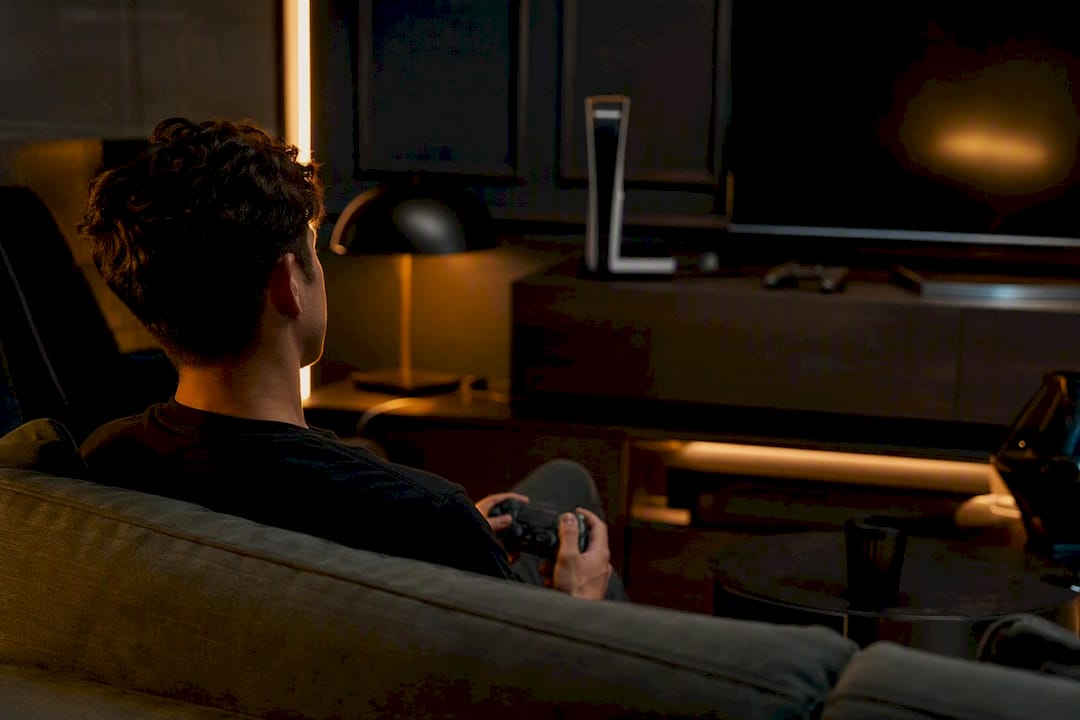
There's a flip side worth naming honestly. Objective performance metrics, reaction time, accuracy, task completion, don't reliably improve with dark mode. The real benefit researchers consistently find is sustained comfort over long sessions, not faster reflexes or sharper aim. If you're expecting dark mode to make you mechanically better at a shooter, it won't. What it does is let you play longer before fatigue and glare start pulling your attention away from the game itself, which indirectly supports better focus in the later stretch of a session when light-mode players are already reaching for eye drops.
Comparing Dark Mode Across Game Genres
Dark mode's payoff isn't uniform across every genre, and recognizing where it helps most changes how you should prioritize your settings.
Fast-paced shooters and action games benefit heavily, since dark backgrounds make color-coded threats, health bars, and hit markers pop with minimal visual competition. Atmospheric and horror games gain the most from dark UIs in a different way: the interface itself reinforces the mood, so a bright white health bar would actually break immersion.
Slots, fishing, and arcade-style games, the category Lucky Luxe specializes in, sit in a sweet spot for dark mode. These games rely on bright, saturated win animations and golden highlight effects that need a dark backdrop to read as exciting rather than washed out. A dark base interface makes every jackpot flash and bonus trigger feel more rewarding by contrast.
Text-heavy strategy games and MMOs are the genre where dark mode's advantage shrinks the most. Dense inventory screens, long dialogue trees, and detailed crafting menus are exactly the tasks that favor light backgrounds or a carefully tuned mid-tone dark palette instead of true black. Puzzle games with fine-detail grids fall into a similar middle ground: dark mode helps with glare, but only if contrast on grid lines and small icons stays high enough to avoid eye strain from squinting.
Hardware and Software Requirements for Dark Mode
Most modern games and platforms support dark mode natively now, but compatibility still varies more than players expect. Native game engines built in the last several years typically ship with a dark UI option built into settings menus, while older titles or ports sometimes rely on community mods or third-party overlay tools to force a dark theme.
Operating system-level dark mode settings (on Windows, macOS, iOS, and Android) can override some app interfaces automatically, but not all games respect that system setting; many require their own in-app toggle regardless of what your OS is set to. If a game looks bright despite your system being in dark mode, check its individual display settings first.
Browser-based platforms, including web-based casual and social gaming sites, depend on the site's own theme implementation rather than your browser's dark mode extension, since browser-level dark mode often just inverts colors crudely rather than applying a designed palette. That's worth knowing if you're switching between a native app and a browser version of the same platform: the dark mode experience can look and feel noticeably different between the two, even on the same account.
Graphics hardware itself rarely limits dark mode; it's almost entirely a software and design decision. The one hardware factor that does matter is your display panel type, since, as covered earlier, OLED and LCD screens get very different real-world benefits from the same dark interface.
A Note From Skyline
Most advice on dark mode treats it like a simple toggle: flip it, feel better, done. The research says otherwise. The comfort gain is real, but it's conditional on room lighting, screen type, and how carefully the palette was actually built. If your eyes still hurt after switching, the problem usually isn't dark mode itself. It's a rushed implementation. Try adjusting brightness and contrast before assuming the mode doesn't work for you, and tell us what changes.
Try a Dark-First Gaming Experience on Lucky Luxe
Lucky Luxe was built with a dark, layered interface from the ground up, not as a bolted-on toggle. That means the golden accents on a jackpot win or a bonus round trigger already sit on a palette designed for long sessions, not a hastily inverted light theme.
If you've been playing slots, fishing, or arcade games on a bright white interface and noticing your eyes tire out faster, switching to a platform built around low-glare, high-contrast design from the start makes an immediate difference. You can adjust display and accessibility settings directly in your account, and the referral program gives new players an easy way to explore different game modes without a big upfront commitment. Head to the Lucky Luxe gaming platform to create an account and see the dark interface in action for yourself.
Frequently Asked Questions
Is dark mode actually better for gaming, or is it just a preference?
It's both. Preference data shows most players choose dark mode, especially at night, and the physiological reasoning behind reduced glare and lower luminance backs that up. It's not a placebo, but it's also not automatically better in every lighting condition.
Does dark mode improve gaming performance or reaction time?
Not directly. Studies point to sustained comfort over long sessions as the real benefit, not faster reflexes or improved accuracy. Any performance gain is indirect, coming from reduced fatigue late in a session rather than a mechanical edge.
Will dark mode damage my OLED screen over time?
Static bright elements on a dark background carry some long-term burn-in risk on OLED panels, though this is a slow, cumulative effect rather than an immediate concern. Using warm dark grays instead of pure black, and varying HUD layouts where possible, reduces that risk.
Should I use dark mode during daytime gaming sessions?
Not necessarily. In bright rooms, a dark interface can force your eyes to work harder against high ambient light, so light mode or a mid-tone dark palette often feels more comfortable during the day.
How do I know if a game's dark mode is well designed?
Check whether critical alerts stay easy to read at a glance, whether text uses off-white rather than stark white, and whether the background uses a warm dark gray instead of flat black. If everything blends together or text bleeds at the edges, the implementation needs work.
This article is general information, not a substitute for advice from a qualified doctor. Consult a qualified healthcare professional about your own circumstances before acting on anything here.
Sources
- Dark Mode – Why You Should Also Dim the Lights in Your Product
- Effects of dark vs light color modes on visual acuity and fatigue (OST-HMD study)
- Is dark mode better for your eyes?
- Mixed-method study of dark mode vs light mode in mobile apps